
If you’re learning React, you might have encountered a scenario where you need to manage state across multiple components. For example, imagine you have a Hero section with a button that opens a popup, and the popup itself has a close button to hide it. How do we manage the visibility of this popup effectively?
Let’s break it down step by step to make this state management concept across react components more beginner-friendly!
Problem Statement
We have:
- A Hero Component with a button to open the popup.
- A Popup Component that displays content and includes a close button.
The challenge is to manage the state that determines whether the popup is visible, given that:
- The open button is in the Hero component.
- The close button is in the Popup component.
To solve this, we’ll:
- Keep the popup state in the
Hero component. - Pass a function to toggle the popup as a prop to the
Popup component.
This approach ensures that the Hero component manages the visibility, while the Popup component can trigger changes without directly managing the state itself.
Step-by-Step Guide
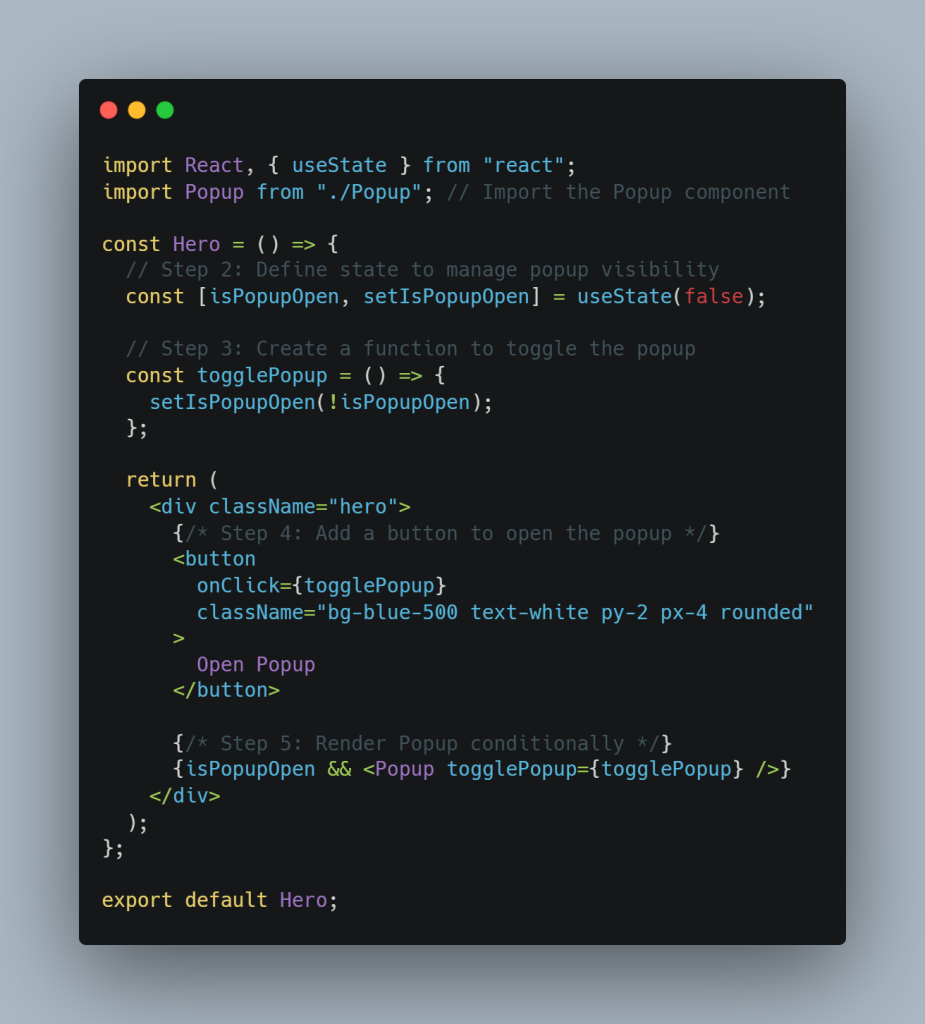
Step 1: Create the Hero Component
We’ll create a Hero component where:
- A button toggles the state to show or hide the popup.
- The popup is conditionally rendered based on the state.
Here’s the code:
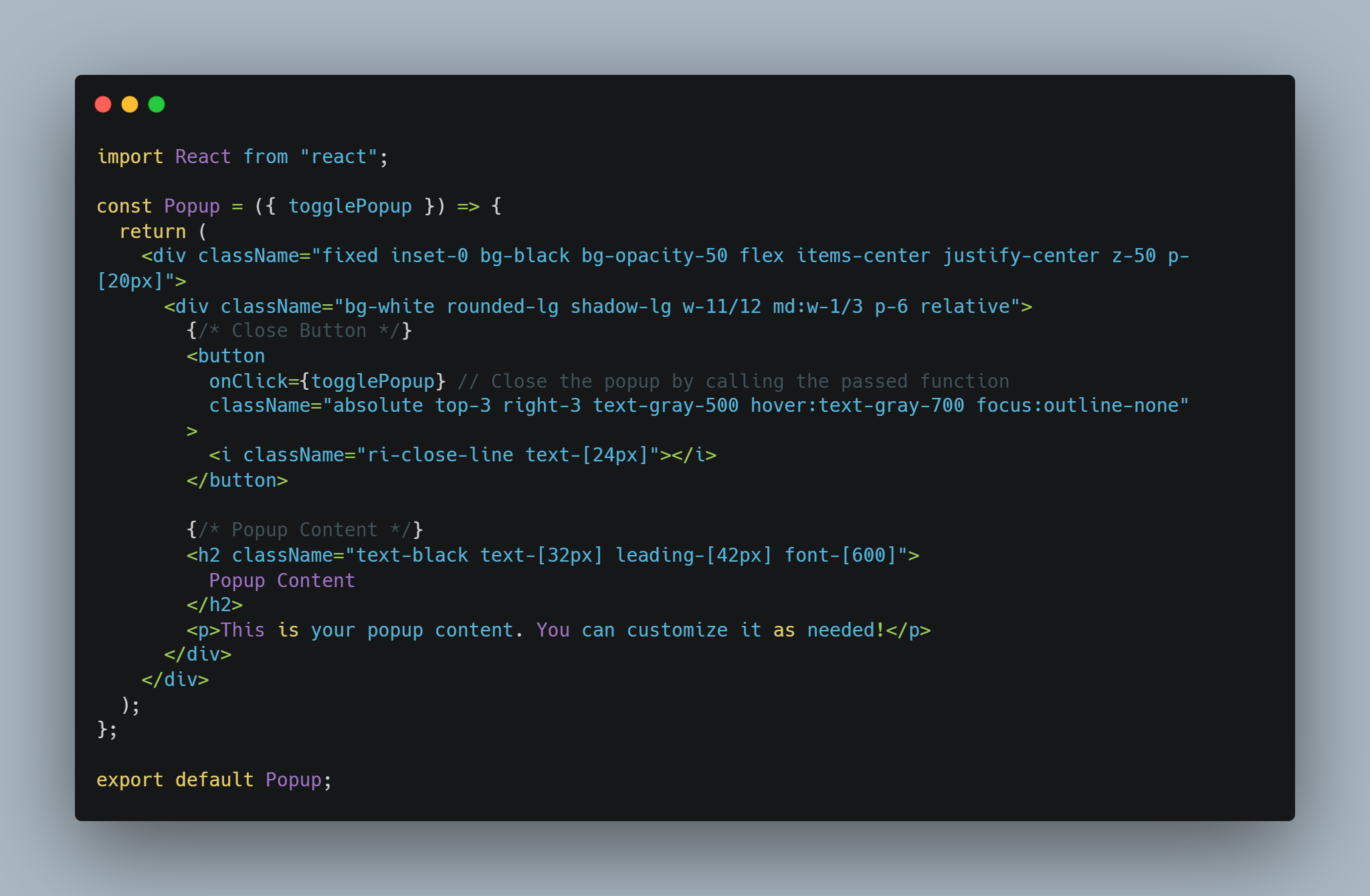
Step 6: Create the Popup Component
The Popup component receives the togglePopup function as a prop. It uses this function to close the popup when the close button is clicked.
Here’s the code:
How It Works
- State Management in the
HeroComponent
TheisPopupOpenstate tracks whether the popup is visible. When the button is clicked, thetogglePopupfunction flips this state betweentrueandfalse. - Conditional Rendering
ThePopupcomponent is rendered only whenisPopupOpenistrue: - Communicating Between Components
ThePopupcomponent doesn’t manage its own state. Instead, it uses thetogglePopupfunction (passed as a prop) to notify theHerocomponent to hide the popup.
Final Thoughts
Managing state across components is a common task in React, and understanding it is a significant step forward in your learning journey. With this approach:
- Your code stays clean and modular.
- You can easily manage the popup’s behavior.
Give it a try, and don’t hesitate to ask questions if you run into any issues. Happy coding!